


Clarity comes first
We start with the services people need, the questions staff hear, and the places users get stuck. Those tasks shape the navigation, content, and design.
Geek Heros brings your public website, staff tools, migration, training, and ongoing care into one coordinated project. A founder-led team, clear review points, and a practical handoff for the people who keep your community running.
Public service. Fewer digital headaches.
Have an RFP or a planned project?A good partner connects the public experience, the staff’s day-to-day work, and the details that keep a project on track. That is how we approach your website.
Geek Heros LLC • Founded in 2017 • Based in Illinois • Veteran- and first-responder-owned
We start with the services people need, the questions staff hear, and the places users get stuck. Those tasks shape the navigation, content, and design.
Patryk leads strategy and project coordination. Mike leads the technical work. Your project plan identifies responsibilities, review points, and a direct path for decisions.
We build the publishing process around real staff tasks, then train the people who will use it. Your team practices updates, approvals, and routine maintenance before handoff.
Ownership, support responsibilities, software licenses, and ongoing costs are part of the plan. You know how the site is maintained and what a future transition involves.
Public information, community connections, and a clear next step are central to these projects. Explore the live sites and the experience relevant to your own scope.
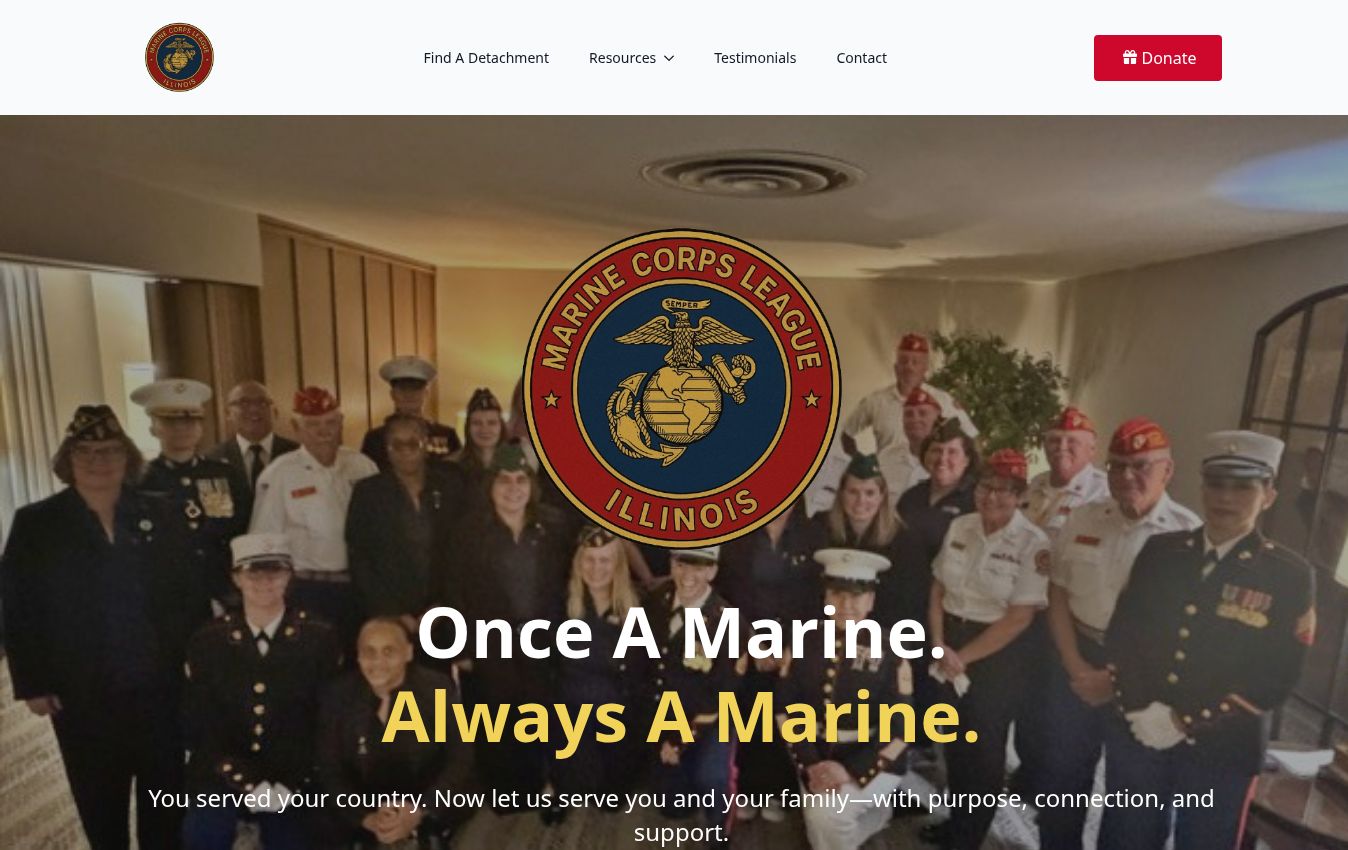
Website design and development for a statewide organization’s mission, resources, events, and detachment directory. We continue supporting the public website; officer tools are being developed separately.
Relevant experience: organizing public information and community connections across a distributed organization.
Explore the live website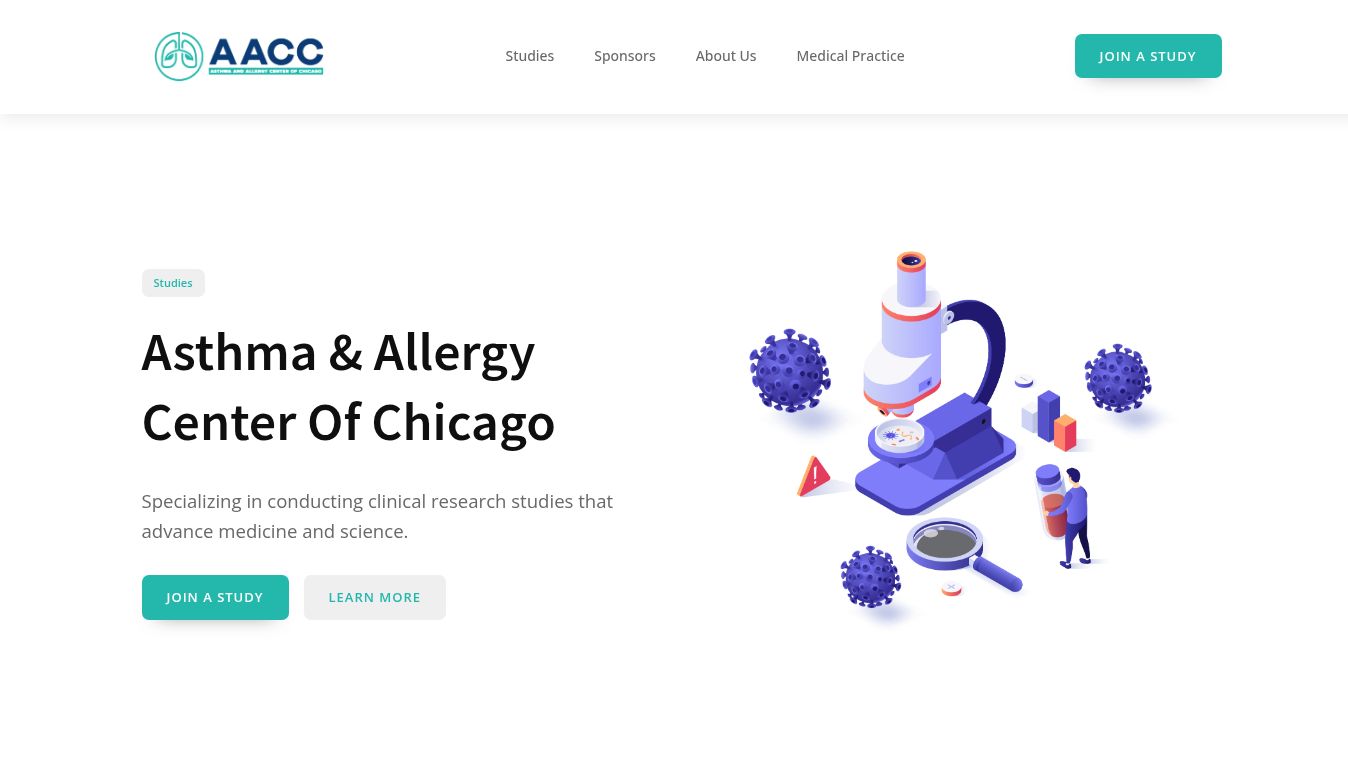
Website redesign and launch for a clinical research organization. Clear pathways help study participants, sponsors, and other visitors find the right information and contact route.
Relevant experience: organizing information for different audiences, with clear service and contact pathways.
Explore the live websiteSelected nonprofit and business projects. We match comparable work and reference requirements to your solicitation. Screenshots show the public sites captured in October 2026.
We’re Patryk and Mike, the founders of Geek Heros. Public service is personal to us. We bring strategy, design, and technical work together around the people who will use and maintain your site.
 One of your Geek Heros
Marine veteran. Firefighter/paramedic. Former Bunker Labs Chicago City Leader. Six years supporting veteran entrepreneurs and leading programs.
Your project: Strategy, scope, stakeholder coordination, and project communication.
 Favorite crayon: red.
 One of your Geek Heros
Marine veteran. The nerd behind the systems. More than a decade of IT experience, with a soft spot for making complicated things easier to use.
Your project: Technical architecture, CMS and integration planning, implementation, and quality review.
 Favorite crayon: green.
A form is buried three menus deep. The search returns last year’s packet. A resident calls the clerk for a link that should have been easy to find.
The same information lives on several pages. Staff repeat edits, chase approvals, and worry that an old notice or inaccessible document is still online.
A staff change leaves behind shared passwords, unclear ownership, and a site nobody feels confident touching. Routine work becomes a support ticket.
Your people are already wearing enough hats. The website does not need to be another one.
Plan the site around what residents, businesses, and visitors come to do. Then make those services work together.
Task-based navigation, mobile layouts, useful search, and clear next steps. Residents should not need to know your department chart to find a permit.
Plan agenda preparation, calendars, notices, packets, minutes, and video links by board, date, and meeting. Keep the public archive easy to navigate.
A central document library with categories, dates, and useful search. Plan indexing, public archives, and retention around your approved records policies.
Forms, applications, service requests, confirmations, and department routing. Connect approved payment providers and identify fees and sensitive-data requirements up front.
News, public notices, priority banners, and scheduled updates. Scope email or text subscriptions with consent, opt-out controls, and your notification providers.
Department contacts, parks, facilities, local events, and directories. Plan maps, recreation connections, and language access around the people your agency serves.
Payments, GIS, recreation, municipal code, meeting video, and other specialist services are scoped with your existing providers. We identify whether each connection is a link, embed, or API integration—and what it needs to work.
A useful content management system does more than edit a page. It helps clerks, communications teams, department editors, and IT share the work.
An editor prepares a service update using an approved template. Ownership is clear before anything reaches the public site.
Interactive illustration, not a live municipal CMS. We agree on roles, permissions, approval rules, and the platform before implementation.
Named accounts & permissionsGive each person the access their work requires.
Reusable content & templatesReduce duplicate updates and inconsistent pages.
Training & a usable handoffPractice real tasks, with guides for the next person.
Build it into design, content, testing, and everyday publishing. Give your staff a practical way to keep improving after launch.
Read the DOJ’s Title II guidanceMap your solicitation’s requirements, including WCAG 2.1 AA or a higher specified standard, to templates, forms, content, and third-party services.
Plan automated checks and manual keyboard and assistive-technology testing, with documented findings, remediation, and acceptance evidence.
Inventory PDFs and records separately. Agree on remediation, accessible alternatives, staff responsibilities, and approved retention decisions.
Pages, documents, and software connections each need an owner and a test. Your team gets review points and clear decisions throughout the project.
Agree on resident tasks, stakeholders, page and document counts, systems, responsibilities, and success measures.
Review checkpointScope, inventory, and responsibility map
Approve the sitemap, content models, accessible components, mobile designs, search visibility, and your community’s visual identity.
Review checkpointSitemap and responsive design prototype
Set up the CMS, staff roles, publishing rules, and agreed integrations. Review specialist systems and licenses early.
Review checkpointWorking staging site and staff workflow demonstration
Move approved content, preserve required records, map redirects, and reconcile pages, files, links, and search results.
Review checkpointContent reconciliation and redirect records
Review a protected staging site. Test real journeys, permissions, accessibility, integrations, and recovery; train staff before approval.
Review checkpointFindings, retest evidence, and staff training
Coordinate DNS and launch checks, a rollback plan, stabilization, documentation, and the agreed ongoing support schedule.
Review checkpointLaunch approval, handoff guide, and support plan
A page count is not a document count. We size each separately, sample the source content, and agree on what to keep, update, or archive. Staff approve records decisions before anything is removed.
Define hosting location, SSL/TLS, MFA, access logs, spam protection, updates, monitoring, backups, restore testing, and incident escalation. Agree on uptime, recovery objectives, and notification terms in writing.
Administrator and editor training, practical guides, launch support, and an issue-reporting process. Spell out support hours, response targets, included work, and future enhancement requests.
Document control of your domain, content, files, analytics, and accounts. Define usable exports, software licenses, transition assistance, and any future .gov move before the contract starts.
Use privacy-conscious analytics, popular tasks, failed searches, downloads, and form journeys to guide improvements. Give the right staff access to useful reporting.
Give your committee a response it can evaluate and a delivery plan it can follow. We connect your requirements to the proposed team, working demonstrations, acceptance evidence, and full-term costs.
Share your RFP or project briefInclude the public packet link, addenda, deadline, and required submission route. We’ll confirm fit and next steps.
Bring the people who will run it—and the people who need to approve it.
Send the solicitation, exhibits, latest addenda, submission instructions, and deadline. We review technical fit, capacity, qualifications, and terms before confirming a response. Formal submissions follow your stated procurement channel.
We start with your current CMS, hosting, payment, GIS, recreation, and records tools. The plan may be a redesign, an integration, or ongoing support. Platform and specialist experience are confirmed for your scope rather than assumed.
We name a project lead and content owners together, agree on review windows, and identify what staff need to approve. The plan includes training, sample publishing tasks, documentation, and a handoff for future staff.
We agree on the required standard, test approach, remediation responsibilities, and acceptance evidence. Pages and documents are inventoried separately. Legal retention or exception decisions stay with the agency’s designated team.
The proposal separates implementation, hosting, maintenance, support, optional work, and third-party costs. It also defines content and account ownership, licensing, exports, and transition assistance so your team can evaluate the full term.
A short written review with three practical priorities for your resident experience and staff workflow. We follow up by email to arrange a conversation. It does not book a meeting or commit your agency to a purchase.
Show us where residents get stuck and which updates take staff too long. Get practical priorities to share with your team.
We’ll review your request, then follow up by email to arrange a conversation. You’ll get a short written summary. This form requests an assessment; it does not book a meeting.
No pushups required.Free assessment. No obligation to buy.
Let’s find what is getting in the way—and what to improve first.
Get a Free AssessmentGood people. Useful nerds.